Are Mechanical Keyboards Worth It? The Honest Answer
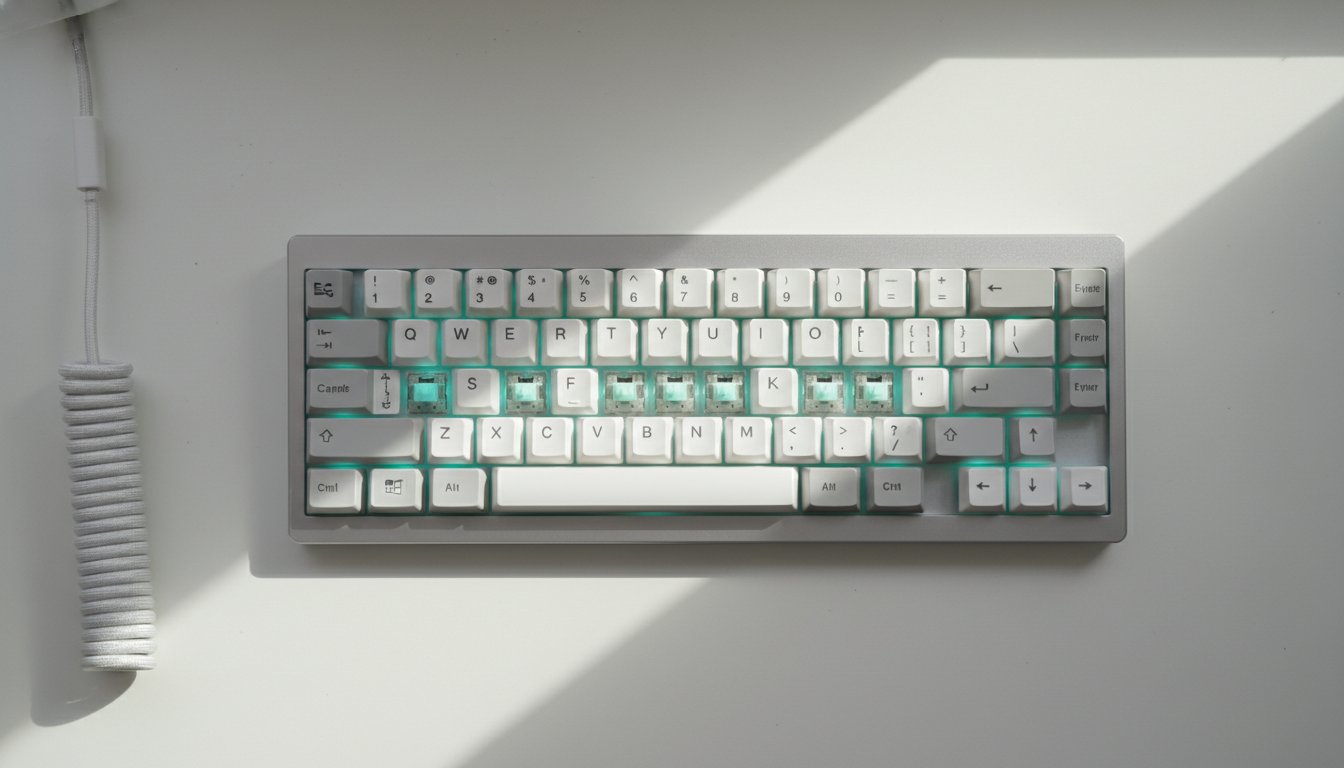
The short answer is yes, for most people who type a lot. The longer answer depends on what you’re coming from, what you actually want, and how much you’re willing to spend to get it.
What You’re Actually Paying For
A membrane keyboard works by pressing a rubber dome that completes a circuit. It’s mushy, imprecise, and cheap to manufacture. Mechanical keyboards use individual switches under each key, each with its own spring and stem. That one difference cascades into better tactile feedback, more consistent actuation, and a keyboard that can last decades with minimal maintenance.
The switches themselves are the core of the value proposition. A board with Gateron Yellow switches feels nothing like one with Topre 45g switches. You’re not just buying a keyboard, you’re choosing a typing experience with real specificity. Membrane boards don’t offer that.
Durability is the other pillar. Most mechanical switches are rated for 50-100 million keystrokes. A $30 membrane board often starts rattling and skipping keys within two years of daily use. A solid mechanical board from 2015 is still typing fine today.
The Cost Reality
Entry-level mechanical keyboards start around $50-80. The Keychron K2 Pro sits in that range and gives you hot-swap switch support, wireless connectivity, and a compact 75% layout. That’s a lot of keyboard for the money, and community reviews consistently put it near the top of beginner recommendations.
Mid-range runs $100-200. At this tier, build quality jumps noticeably. Aluminum cases, gasket mounting, and better PCBs become standard. The gap between a $70 board and a $150 board is real and audible.
Above $200 you’re into enthusiast territory: group-buy boards, custom layouts, premium stabilizers. Most people don’t need to go there. The sweet spot for everyday use is $80-150.
The comparison that actually matters: a decent membrane keyboard costs $20-50 and needs replacing every few years. A mechanical board in the $100-150 range, treated reasonably well, can last 10+ years. The math shifts pretty quickly.
When Mechanical Keyboards Are Clearly Worth It
You type a lot. Writers, programmers, and data entry workers all report less finger fatigue on mechanical boards. The reason isn’t magic, it’s that tactile and linear switches give you clearer feedback per keypress, so you’re not unconsciously bottoming out on every stroke.
You care about accuracy. Gaming on a membrane keyboard means dealing with ghosting (where multiple keypresses don’t all register). Most mechanical boards have NKRO (n-key rollover), which registers every key simultaneously. For competitive gaming, this matters.
You want something that doesn’t frustrate you daily. Keyboards are the primary interface between you and your computer. A bad one adds low-level friction to everything. That’s genuinely worth paying to fix.
When They’re Probably Not Worth It
If you type casually for an hour a day and never think about your keyboard, a $30 membrane board is fine. No shame in that.
Office environments with noise-sensitive colleagues are also a legitimate concern. Clicky switches (Cherry MX Blue, Kailh Box White) are loud enough to annoy a room. Silent linear switches solve this, but it’s another variable to manage. If your workplace bans mechanical keyboards by policy, the question answers itself.
Laptop users who are happy with their built-in keyboard and never work at a desk are not the target audience for this product category at all.
Picking Your First Mechanical Keyboard
Don’t overthink the switch choice on your first board. Linear switches (smooth, no tactile bump) suit gamers. Tactile switches (bump at actuation point, no click sound) work well for typing. Clicky switches are tactile and loud, great for people who like auditory feedback and work alone.
The Keychron K6 Pro is a common first recommendation: compact 65% layout, hot-swap so you can try different switches, and it works on Mac or Windows out of the box. For a full-size board with a numpad, the Logitech G413 SE is widely available, well-built for the price, and a safe buy without any research rabbit holes.
If budget is tight, the Redragon K552 is a functional entry point around $35. Build quality reflects the price, but the switch feel is genuinely better than any membrane board at the same cost.
Hot-swap PCBs deserve a mention for beginners. They let you pull and replace switches without soldering, which means you can experiment cheaply instead of committing to one switch type forever.
The Noise Objection
People assume mechanical keyboards are all loud. That’s the clicky-switch stereotype. Linear switches like Gateron Yellows or Cherry MX Silent Red are quieter than some membrane boards. Adding foam dampening or o-rings reduces noise further. Noise is a solvable problem.
Mechanical keyboards are worth it for anyone who uses a computer seriously. The cost delta over a membrane board shrinks fast when you account for longevity, and the daily typing experience improvement is significant enough that most people who switch don’t go back.
Where to buy
- Gateron Yellow switches
- Keychron K2 Pro
- Keychron K6 Pro
- Logitech G413 SE
- Cherry MX Silent Red
- Redragon K552